Introducing the Issues Tab: One Row Per Bug, No Matter How Many Runs Found It
The Issues tab collects agent-found bugs from every TesterArmy run into one deduplicated list, each with repro steps and a video replay, plus one-click exits to a Linear ticket, a coding-agent prompt, or resolved.


On a large activewear storefront, sorting search results by "Price: Low to High" was quietly doing the opposite of its label. Joggers marked down to $54 and $58 sat at the bottom of the list, behind full-price items at $108 and $178, because the sort read the original price instead of the price a shopper actually pays. Nothing crashed and nothing threw an error, so every dashboard stayed green while the products most likely to convert, the ones on sale, were buried where nobody scrolls.
We did not find this by reading their code. Our agent found it by shopping. The brief was one sentence, explore this storefront like a customer and find bugs, and fifteen minutes later the finding came back written up like a good QA engineer would write it: expected versus actual, numbered reproduction steps, the exact URL, a severity rating, and a recording of the moment it happened. Today we are shipping the Issues tab, the place in TesterArmy where a finding like that stops being a line buried in a run report and becomes a bug your team can track, prove, and close.
Here is the whole loop in 90 seconds:
Why every dashboard missed it
No tool in the store's existing stack was positioned to catch this. Uptime monitoring saw a page that loads. Error tracking saw no exception, because a sort that returns the wrong order raises nothing. Revenue analytics kept reporting sales, since a broken sort does not stop the checkout from working, it just quietly changes what people see first. Even a scripted end-to-end test would have clicked the dropdown, confirmed the page re-rendered, and passed, because "assert the list is ordered by the price a customer actually pays" is the kind of check nobody writes until after the incident.
Catching it takes doing what a shopper does: apply the sort, then actually read the prices that come back. That is what the agent did, and it is why the report lands with more evidence than most human bug tickets carry.
From a pile of run reports to one working list
Agents generate a lot of runs: a scheduled suite every morning, a run on every pull request, the occasional exploratory sweep. The same bug will happily show up in all of them, and until now each sighting lived in its own report. The Issues tab collects findings from every run in a project and deduplicates them into a single working list. A bug that appears in five runs is one row carrying its whole history: when it was first seen, when it was last seen, and how many runs it has appeared in. That history is what you need to tell a one-off flake from a persistent problem, and a fresh regression from a bug that has been sitting there for months.
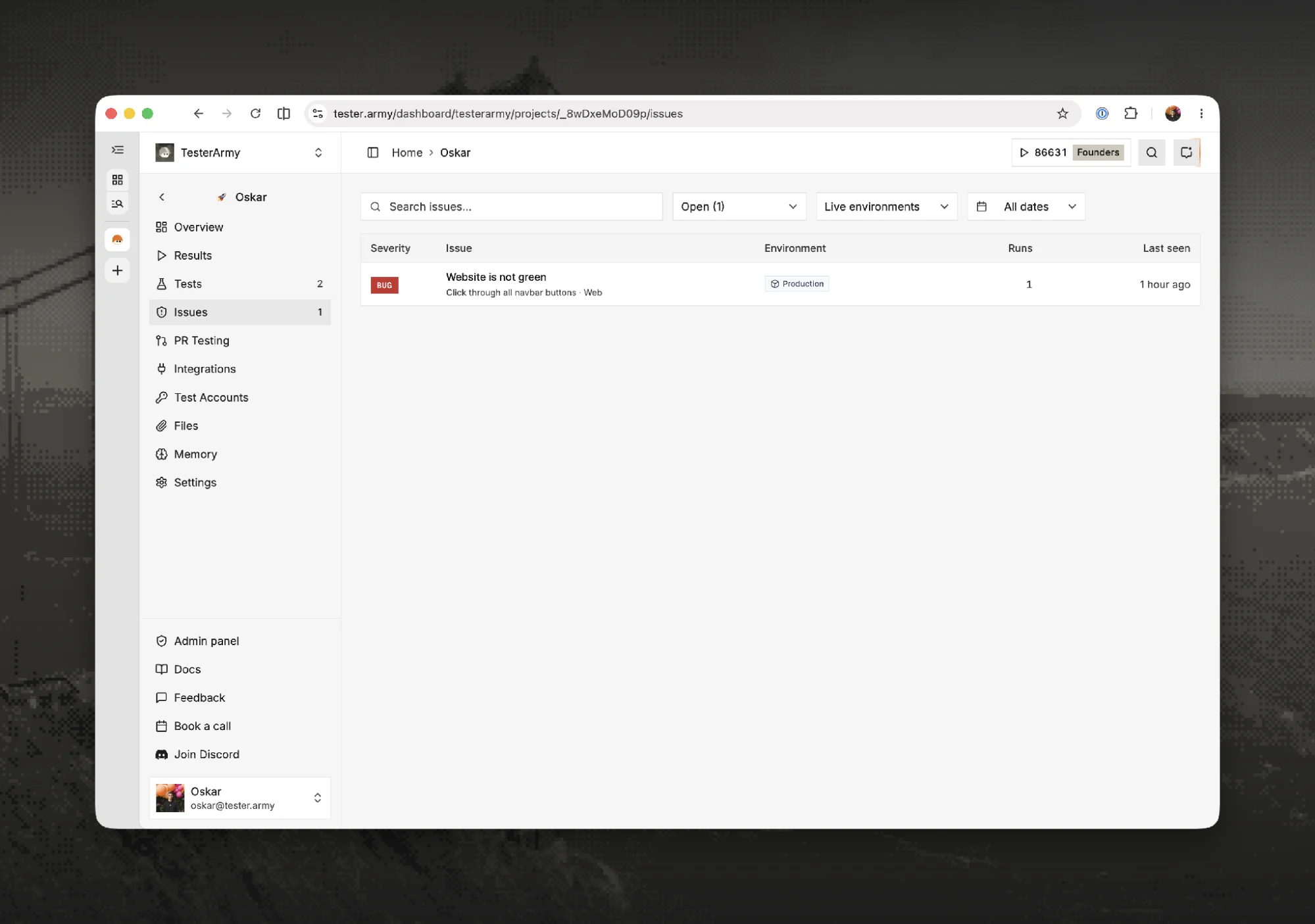
Every distinct bug in the project, one row each. Filter by status, environment, and date, or search the list directly.
Filed by the agent, at the second it happened
None of this is typed up by a person. When a check fails mid-run, the agent writes the issue itself, pinned to the failing step and the exact timestamp in the recording. It states what it expected and what it actually saw in plain language, and that works for visual checks too: in the example below the step asked the agent to verify a site's theme color, and the issue it filed reads like a colleague explaining the discrepancy.
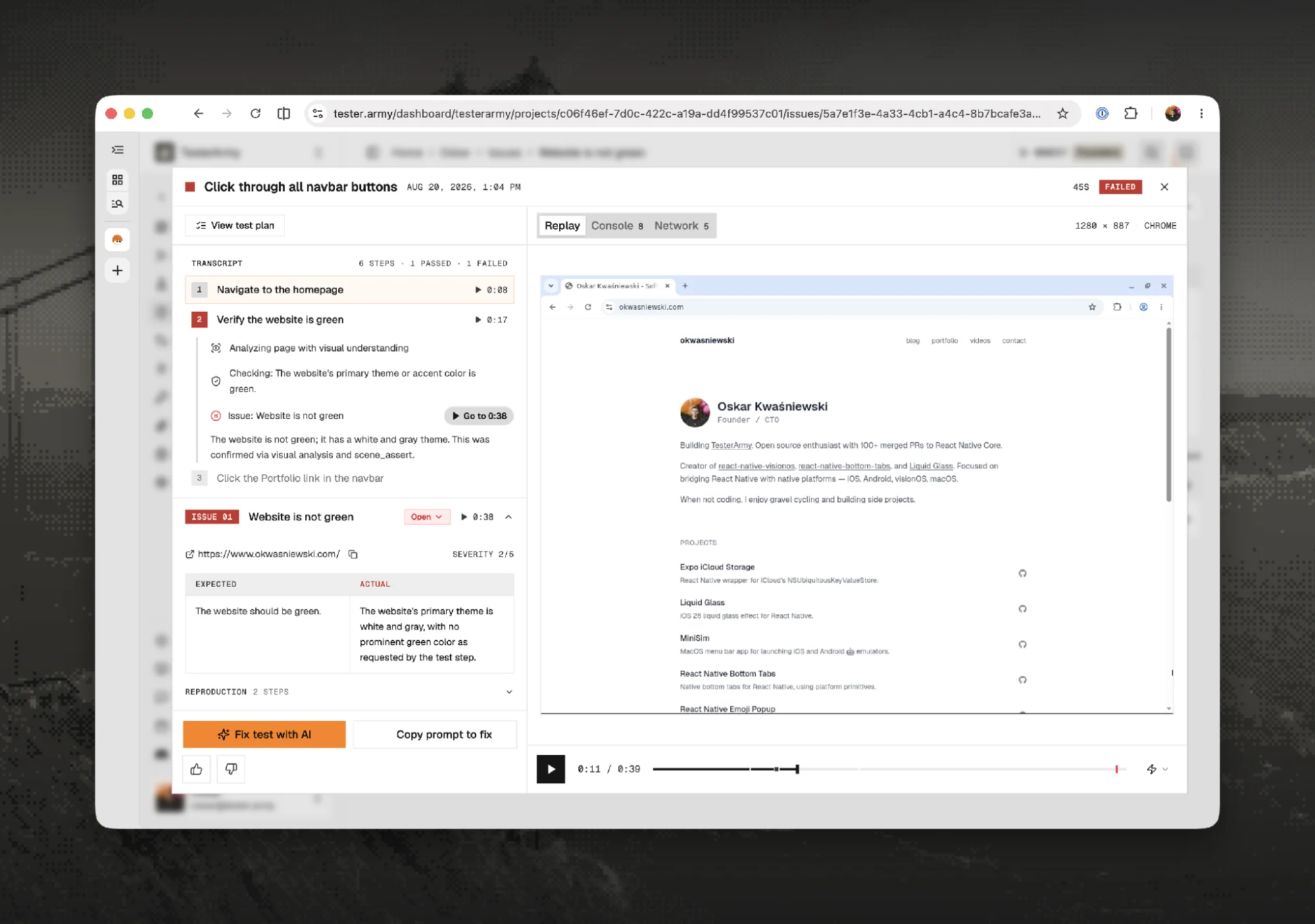
The issue is born inside the run, attached to the step that failed, with a jump link straight to the moment in the recording.
Watch the exact moment it broke
A written report is easier to act on when you can watch what it describes. Every issue links into the full recording of the run, so you can jump to the second the agent hit the problem and see the sort come back wrong on screen. The browser console and network activity are captured alongside the video, 150 console messages and 1,306 requests in this run, so whoever picks up the fix starts with the evidence already collected instead of reconstructing a fifteen-minute shopping session by hand.
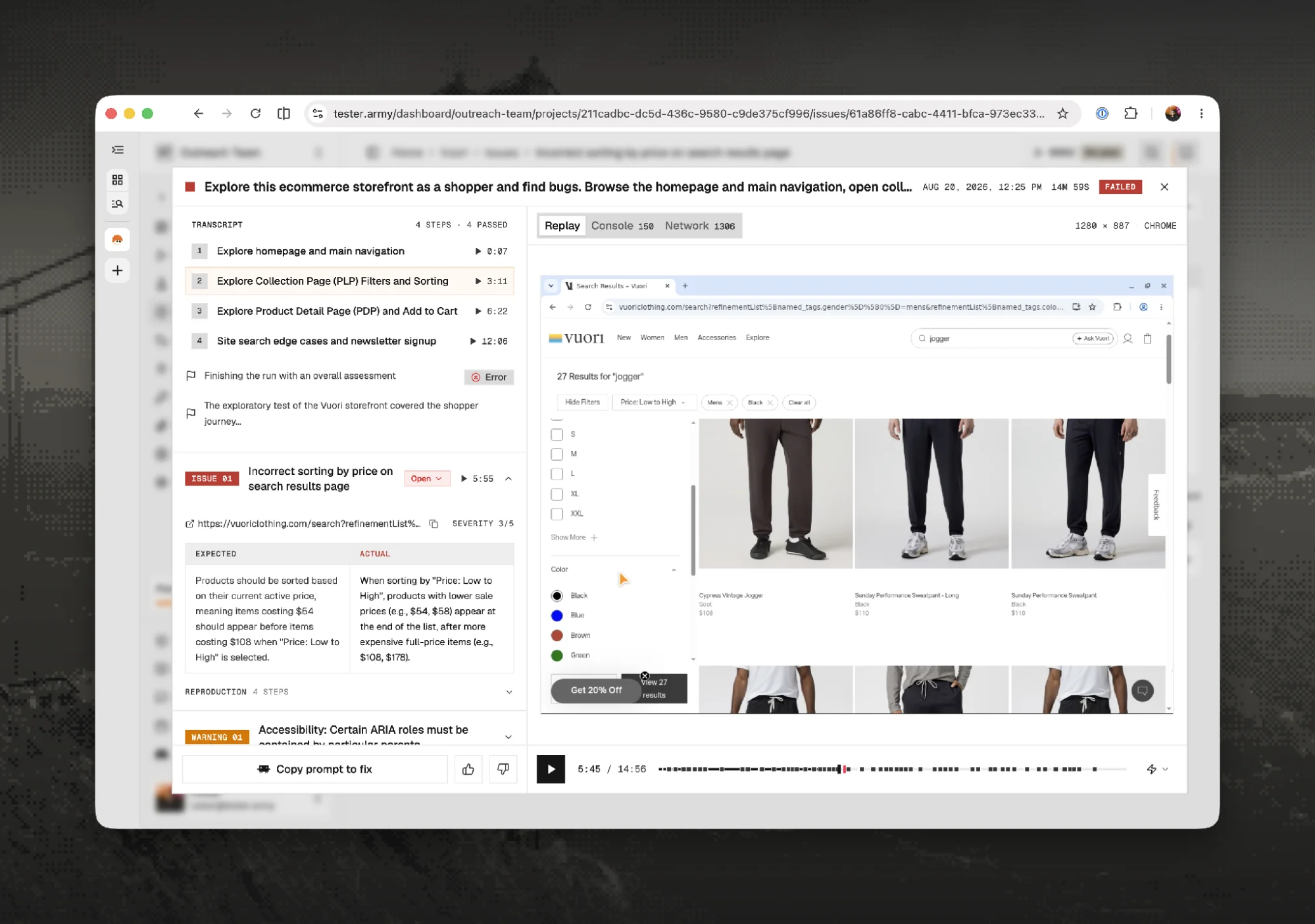
The replay at 5:47 of a 14-minute run: sort applied, sale items missing from the top, console and network one tab away.
Three exits: a ticket, a prompt, or resolved
A bug list is only useful if things leave it, so every issue has three ways out.
If your team plans work in Linear, connect the integration once and the issue becomes a ticket in one click, with the title, expected versus actual, reproduction steps, and URL already filled in. In the walkthrough that is ticket ENG-589, created from the sorting bug without anyone retyping a word. If you would rather hand the bug to a coding agent, Copy prompt to fix produces a structured prompt you can paste straight into Claude Code or Cursor, carrying the same evidence in a form a model can act on. And when the fix ships, Mark resolved closes the loop. If the bug ever resurfaces in a later run, it reopens with its full history attached, so you know right away that the fix did not hold.
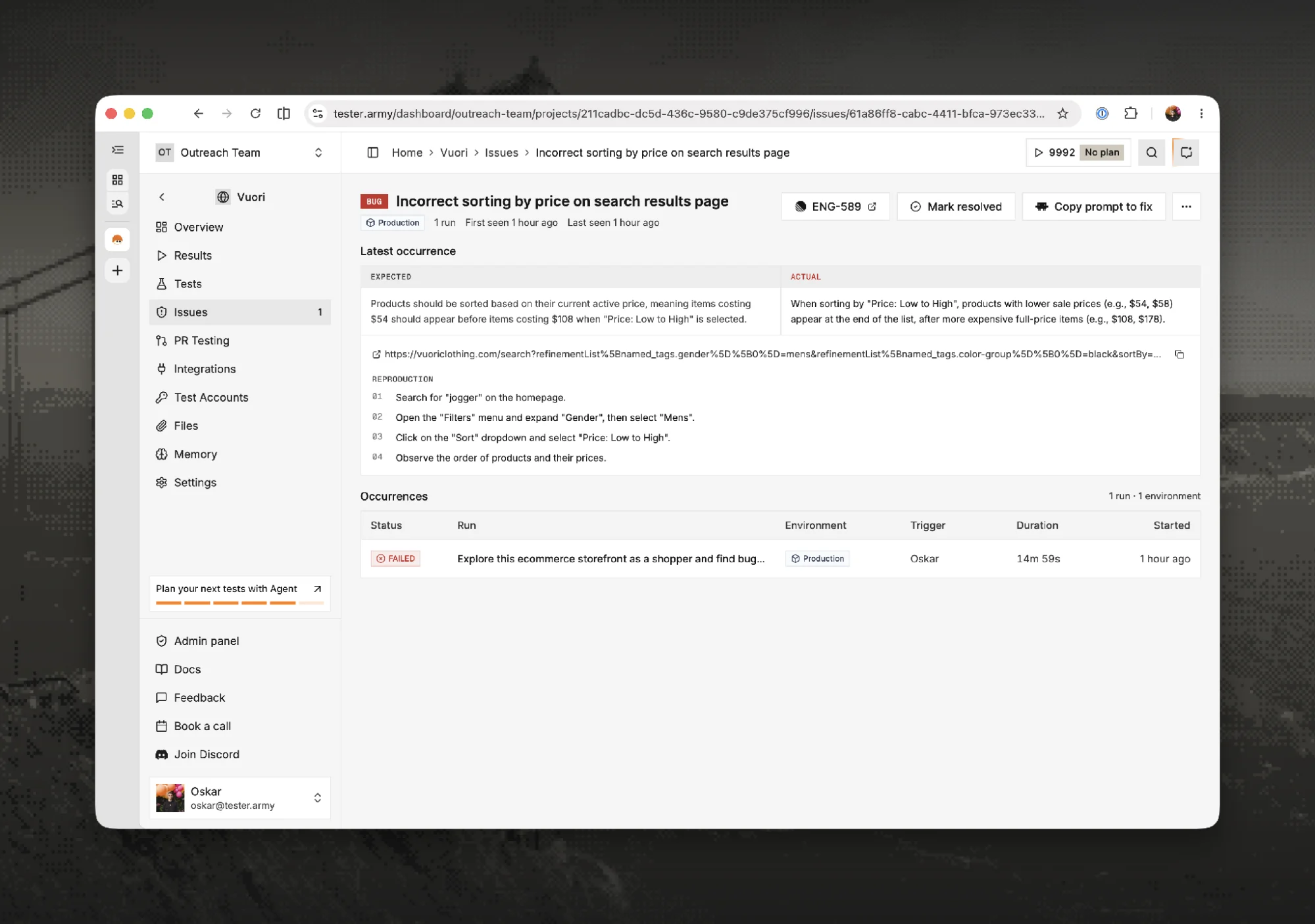
From finding to Linear ticket to fix, without the bug ever being retyped by a human.
Now point it at your own product
You have just read several hundred words about someone else's storefront. The more interesting question is what fifteen minutes of agent time turns up on yours, because the sorting bug above is not exotic, it is representative: the web is full of features that render fine, throw nothing, and still do the wrong thing. Those are exactly the bugs that only surface when something actually uses your product the way a customer does.
Setup is a URL and a sentence describing what to explore, on a website or a mobile app, with no test scripts to write first. The Issues tab is live in every TesterArmy workspace today, and in our experience the first session on a production site rarely comes back empty.