TesterArmy in August: Discovery Runs, MCP, Linear and Jira Tickets
The August 2026 TesterArmy update. Discovery runs let the agent explore your app from a one-sentence goal, the Issues tab files Linear and Jira tickets, an MCP server brings TesterArmy into Cursor, Claude Code, and Codex, and mobile gains Apple Pay, photo picker, and offline testing.


August was the month the agent stopped waiting for instructions. Until now you told TesterArmy what to test, in plain English, and it ran that flow like a real user on every pull request. It still does. What changed is that you can now hand it a goal instead of a checklist, run it from inside Cursor, Claude Code, or Codex, and turn what it finds into Linear or Jira tickets without retyping anything. Here is what shipped, with the docs for each piece.
Test from Cursor, Claude Code, or Codex
TesterArmy now has an MCP server, so your coding agent can talk to it directly. Point the client at https://tester.army/mcp, sign in through the browser when prompted, and the agent has the same access you do: it can create and update tests, group them, queue a run for one test or a whole group, poll the status, and read back the transcript, browser console, and network requests when something fails. Recordings come back as signed download links, so the agent can pull the video too.
One remote server, no API keys. Claude Code, Claude Desktop, claude.ai, Cursor, Codex, and VS Code are covered; older clients that only speak stdio connect through mcp-remote.
The practical effect is that a fix loop no longer leaves the editor. Ask the agent why last night's checkout test failed, and it reads the failing step, the console error, and the request that returned a 500, then proposes the patch. The server also ships built-in guides on writing and sizing tests, organizing groups, and targeting environments, so the coding agent writes tests the way we would. Setup per client is in the MCP docs.
Turn findings into Linear or Jira tickets
The Issues tab, which we introduced in its own post last month, collects every bug the agent finds across all runs in a project into one list, one row per bug no matter how many runs hit it. Since then we added the two exits most teams asked for.
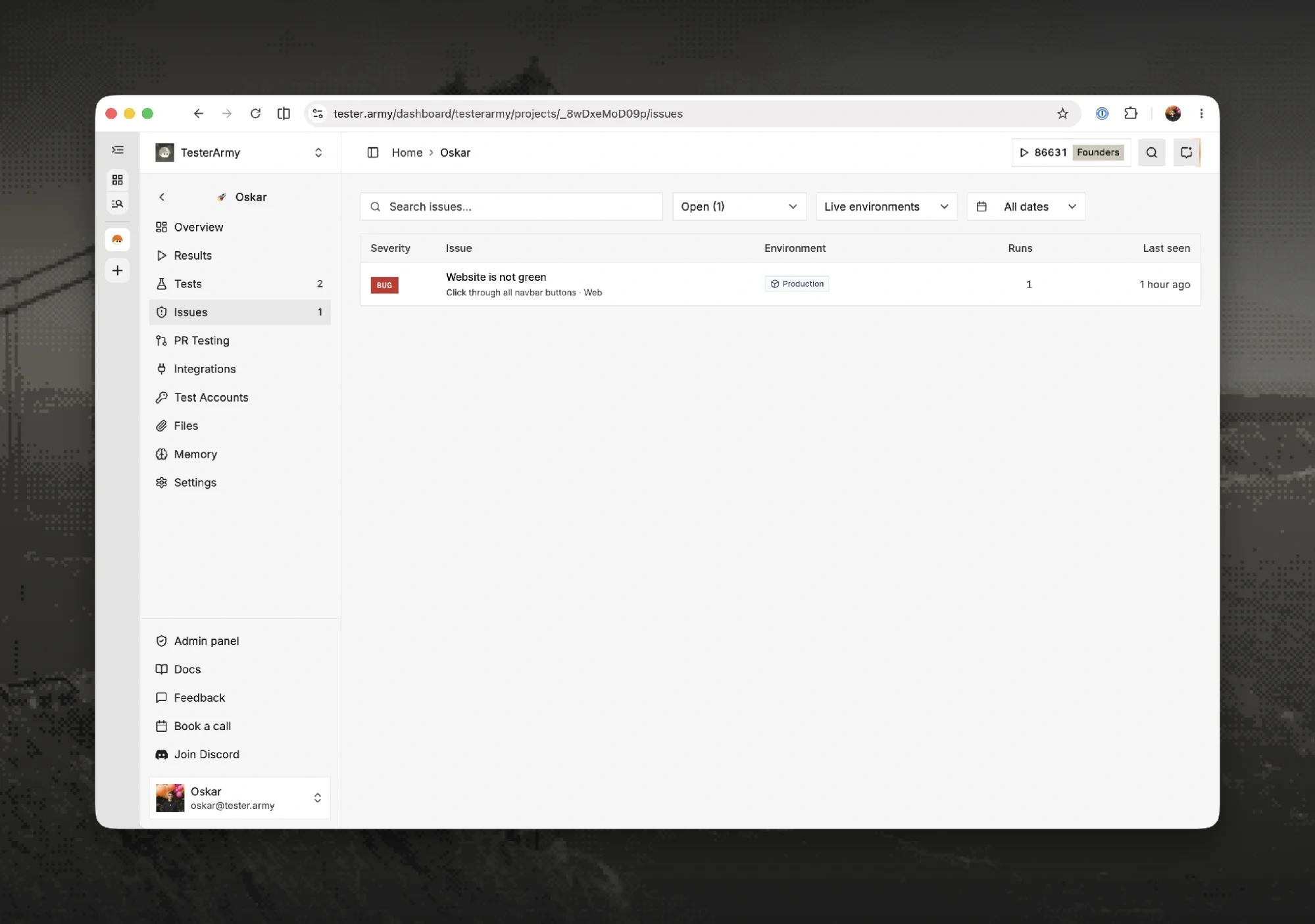
Every distinct bug in the project on one row, with the run count and when it was last seen. Filter by status, environment, and date.
Connect Linear or Jira once in the project settings and every issue gets a Create ticket button. The ticket arrives with the title, the expected versus actual behavior, the reproduction steps, a screenshot link, and a link back to the issue already filled in, and the priority is mapped from the severity the agent assigned. You can still change the team, assignee, due date, and title in the dialog before it goes out. Each issue links to at most one ticket, so nobody files the same bug twice. Setup for both is short: Linear, Jira.
If you would rather hand the bug to a coding agent than to a person, the fix prompt button produces a structured prompt with the same evidence, ready to paste into Cursor, Claude Code, or Codex. Repeated reports of the same problem are grouped, and you can select several issues and update them together instead of one at a time.
Give the agent a goal instead of a test
This is the biggest change of the month. A Discovery run takes a single sentence, something like "explore checkout like a first-time buyer and report anything off", and lets the agent decide what to test as it goes. It walks your app the way a curious new user would, tries the paths a scripted test would never cover, and files every bug it finds as an issue with steps, expected versus actual, and a recording. Leave the goal empty and it defaults to exploring the whole app for bugs.
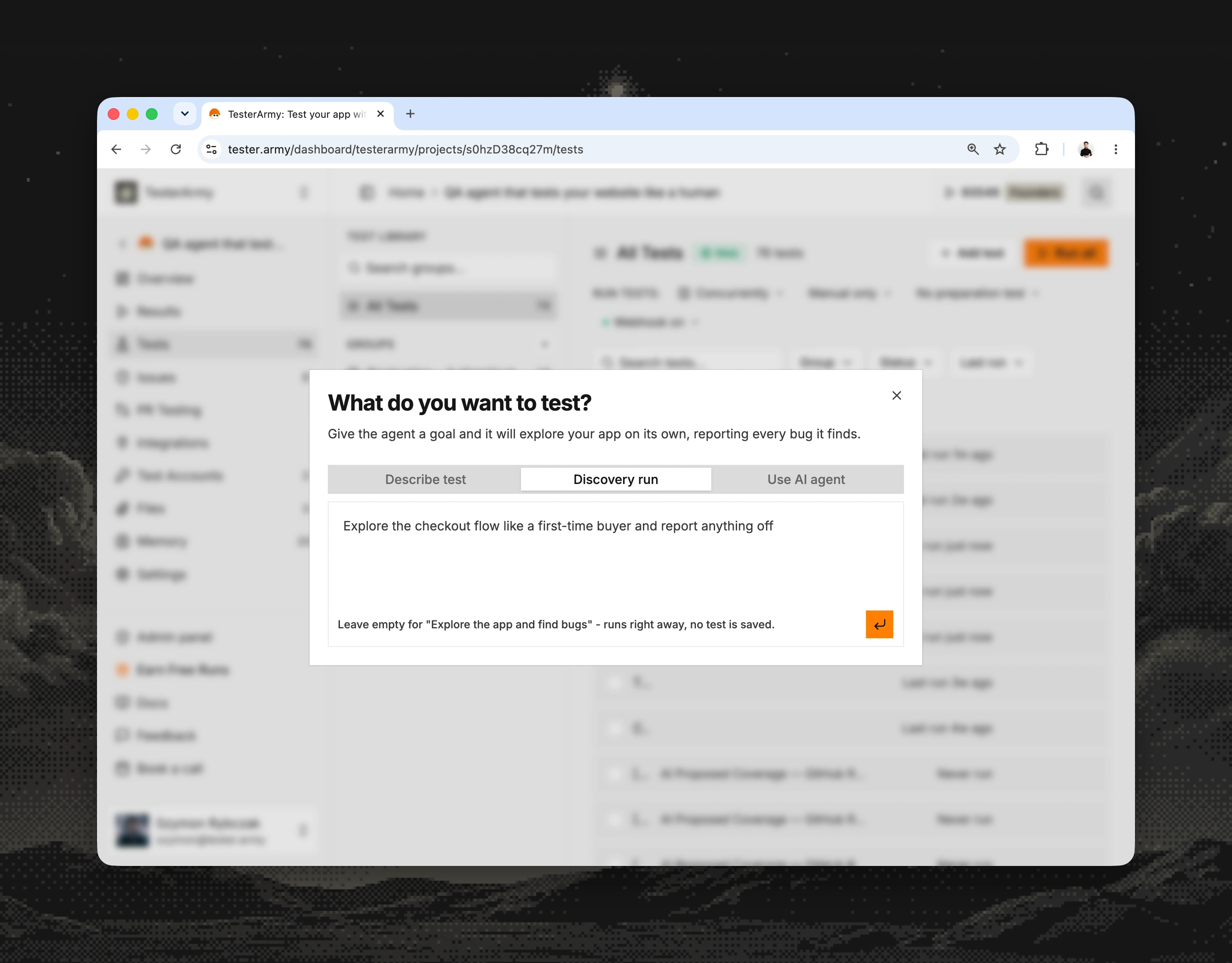
Discovery runs sit next to described tests in the same dialog. The run starts right away and no test is saved, so you can point it at anything without cluttering your library.
Discovery runs work on web, iOS, and Android. On mobile the agent explores your latest uploaded build in a simulator or emulator, and on the web you can hand it any URL, including a staging or preview deployment. The same run is available through the API as trigger a discovery run, so you can schedule a sweep after every deploy. A result of Failed means the agent found bugs, and they land in the Issues tab like everything else.
Web runs also picked up an automatic accessibility audit. Every web test now doubles as an axe-core check for critical WCAG 2.0 and 2.1 level A and AA violations, such as images without alt text, unlabeled form fields, and broken ARIA. Findings show up as warnings on the report and never change the pass or fail outcome, and they are aggregated per rule, so a missing alt text on 40 product cards is one warning rather than 40. Details and limits are in the accessibility audit docs.
Review results faster
We redesigned the run report around the recording. The replay is now split into chapters that follow the steps of the test, every action the agent took is annotated on the timeline, and smart playback skips the idle stretches where the agent was waiting on the app, so a fourteen-minute run reviews in a fraction of that. Scrubbing the video highlights the step that was executing, and clicking a step jumps the video to that moment.
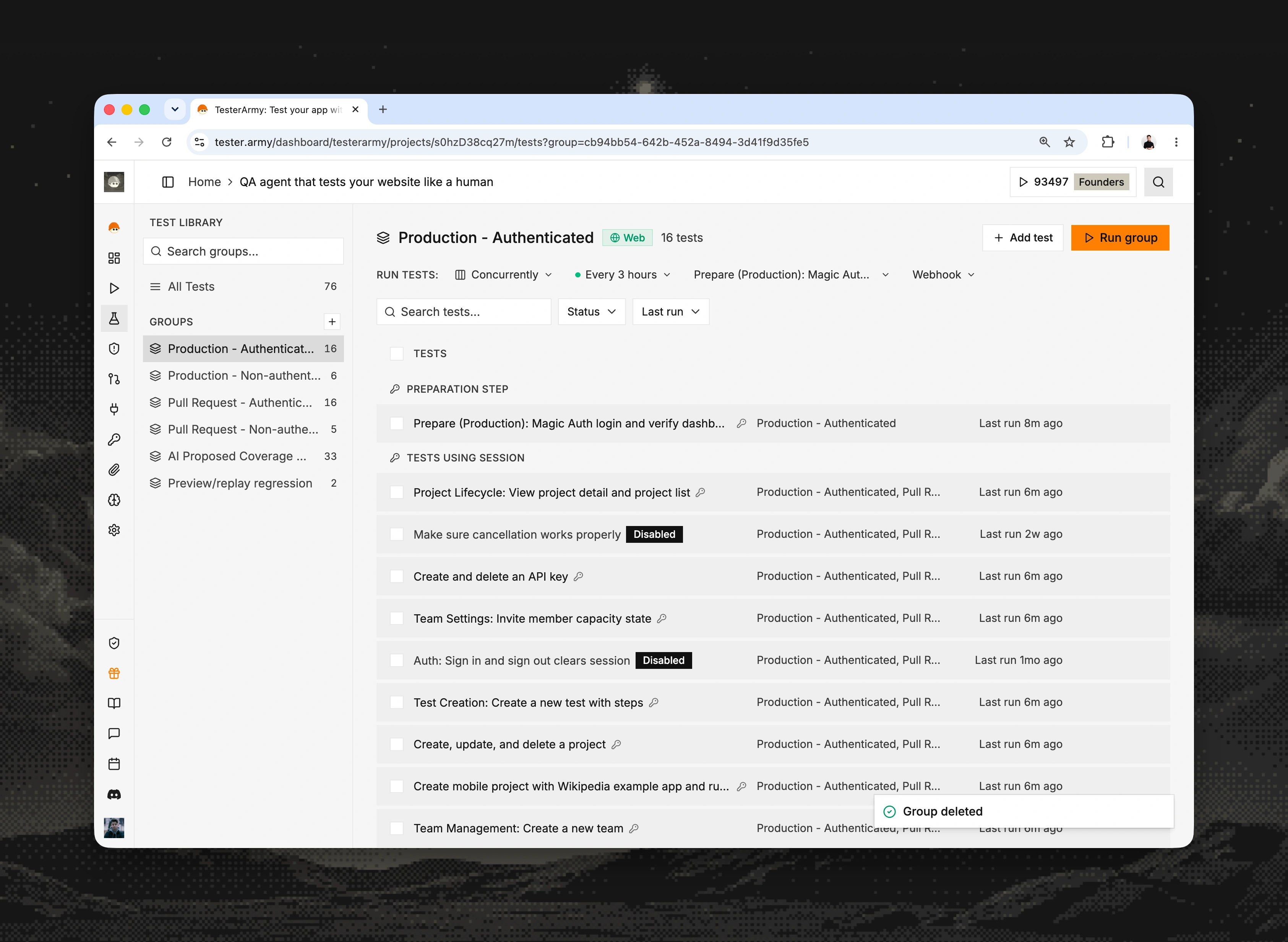
Groups carry their own schedule, preparation test, and webhook, and a whole group run can now be shared through one read-only link.
Two things around the report changed too. A whole group run can now be shared as a single read-only link, so the person who needs to see this morning's regression results does not need a TesterArmy account. And each project has a new Overview page that charts test health over time, which is the first place to look when you want to know whether the suite is getting greener or not.
Results also became more honest about why something did not pass. Alongside Passed and Failed there is a clearer Blocked state for runs stopped by the environment or by the agent's own limits: a staging server that was down, a rejected credential, missing seed data, or an action budget that ran out. Blocked runs are excluded from failure counts and pass rates, so a broken environment no longer looks like a broken product. The full breakdown is in the results docs.
Cover more mobile flows
Mobile picked up four capabilities that were hard or impossible to test before.
Apple Pay now works in native iOS apps on the simulator. The agent taps the Apple Pay button, waits for the payment sheet, checks the line items and total, authorizes with the simulator's built-in test card, and continues through your post-payment screens, so the whole flow from cart to confirmation is covered, including your error and cancel handling. Server-side token decryption and settlement stay out of scope, and declines cannot be simulated because the simulator always authorizes. Your build needs the Apple Pay capability with at least one merchant ID; the rest is in the Apple Pay docs.
Photo selection works on both iOS and Android. Upload the photos or videos you want the agent to use to the project's Files tab, reference them in a step, and they are preloaded into the device library so the agent can pick them through your app's own picker. Avatar uploads, receipt scanning, and document capture flows become ordinary tests.
Android runs can now go offline mid-test. A step like "turn off the network, check the offline banner, then go back online" switches the emulator's connectivity through Android itself, so your app receives real connectivity callbacks rather than a mocked one. This is Android only, because iOS simulators expose no equivalent switch the app under test can observe.
We also added drag-and-drop gestures and app restarts, so reordering lists and verifying that state survives a cold start are now things you can write in a sentence. The mobile overview has the current list of supported builds and steps.
Try the new pieces on your own app
The fastest way to see the difference is a Discovery run. Open any project, choose Discovery run in the test dialog, type one sentence about the part of your product you trust least, and read what comes back. If you already work in Cursor, Claude Code, or Codex, connect the MCP server first and let your coding agent kick it off.