
Overview
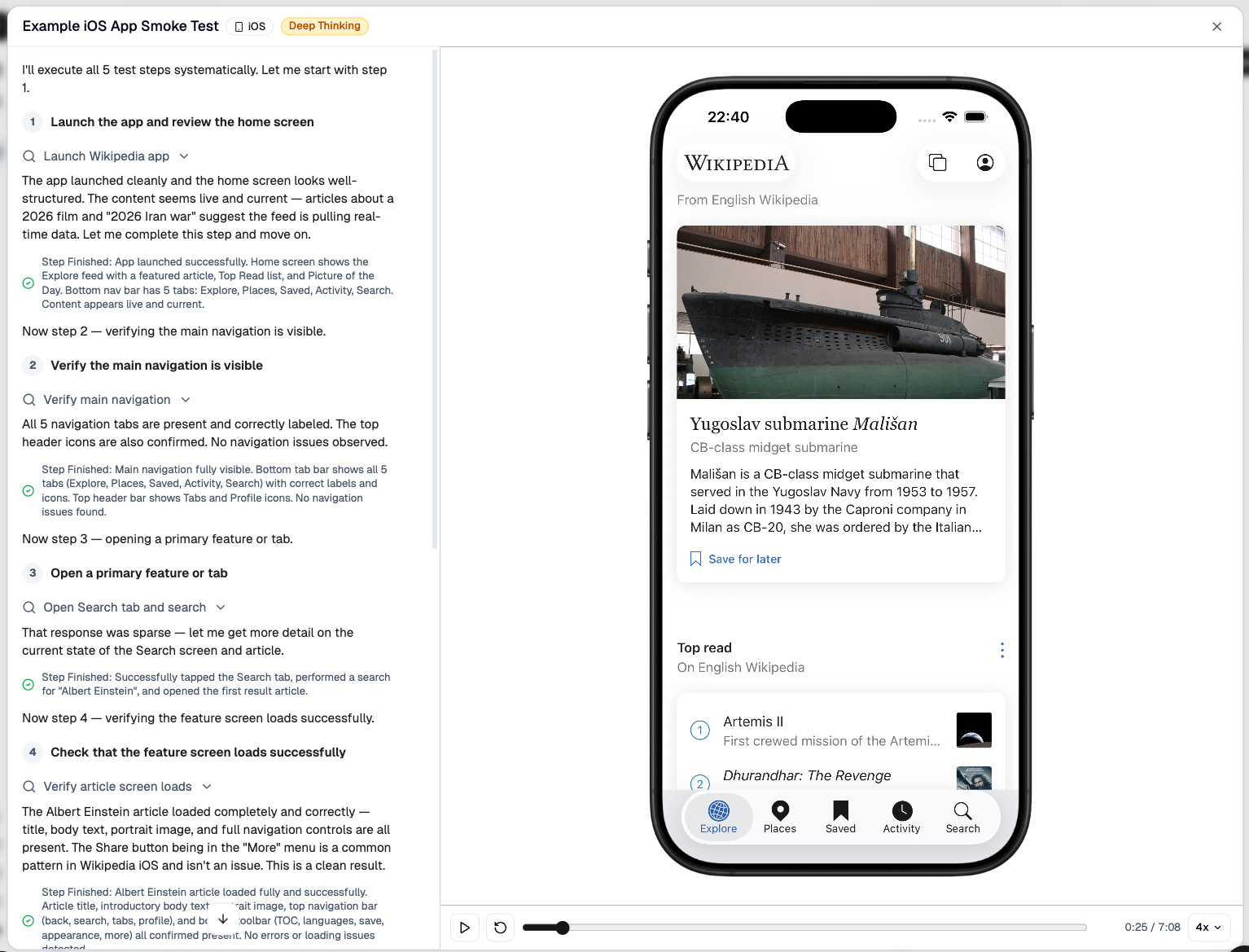
TesterArmy runs your app on cloud simulators/emulators and uses AI agents to test it like a real user.
Every completed mobile run includes a downloadable simulator/emulator video, just like web runs. TesterArmy handles capture, storage, and playback automatically, so you do not need to record the session yourself. See Understand Results for the result model and Run Videos for recording details.
Recommended setup
- Build an iOS Simulator version of your app and zip the
.appbundle, or build an Android.apk/.apks. - Upload that build to TesterArmy and create your first mobile test.
- Run the test manually to confirm everything works.
- Add Expo EAS or GitHub Actions so the same tests run automatically on every change.
If you want a working reference, see the mobile GitHub Action and the mobile example app.
Supported platforms
Device selection
iOS tests run on iPhone by default. To run on iPad, pick iPad in the
dashboard run menu, or pass deviceModel: "ipad" when triggering runs via the
API or the CLI (--device-model ipad).
iPad runs require a build with native iPad support (a universal app). iPhone-only builds launch on iPad in scaled compatibility mode, which cannot be automated reliably — those runs fail during setup with a clear error instead of producing misleading results.
Requirements
TesterArmy currently supports simulator/emulator builds only. For iOS, that means you need a .app bundle built for iOS Simulator, not an .ipa built for physical devices. For Android, upload a single .apk or a split APK archive (.apks). .aab and .xapk are not supported.
For manual iOS uploads, archive the simulator build as .app.zip. If you use our GitHub Action, you can pass the .app directory directly and the action handles the upload for you.
See App Uploads for the build and zip steps.
Limitations
Currently we support running tests on simulators only, so features like camera access and biometric access (Face ID, Touch ID) are not supported. If you need to run tests on real devices please contact us.
Next steps
Build an iOS Simulator .app or Android APK, upload it, and create your first mobile test.
Run your existing mobile tests automatically in CI with our GitHub Action.
Run TesterArmy mobile tests from Expo EAS workflows.
Exercise Apple Pay checkout flows in your iOS app, from payment sheet to success screen.